



A thermal monocular can transform the way you see the outdoors after dark. By detecting heat rather than relying on visible light, it can reveal people, animals and objects in conditions that would challenge even a powerful traditional torch or night-vision device.
That said, thermal imaging is not a single, standardised technology. Models vary considerably in image quality, detection range, battery life, ergonomics and intended use. Before choosing one, it is worth looking beyond headline specifications and considering how the device will perform in the situations that matter to you.
1. Define how you will use it
Start with the practical question: what do you need the monocular to do?
Wildlife observers may prioritise a natural-looking image, quiet operation and comfortable handheld viewing. Those involved in countryside management or pest control may need greater detection range, image recording and reliable performance in changing weather. For hiking, camping or general outdoor use, compact size and battery life could matter more than advanced digital zoom.
There is no universally “best” thermal monocular. A device designed for identifying animals at moderate distances may be a better choice than a long-range model if you will be carrying it for several hours.
2. Understand resolution and image detail
Thermal resolution is one of the most important specifications. It refers to the number of pixels in the thermal sensor—for example, 256 × 192 or 384 × 288. Higher resolution generally produces a more detailed image, particularly when viewing smaller targets or distinguishing between objects close together.
However, resolution should not be considered in isolation. Lens quality, image processing and the thermal sensitivity of the sensor all influence what you actually see. A well-designed lower-resolution device can sometimes provide a clearer, more useful image than a poorly balanced higher-resolution model.
Think about identification as well as detection. Spotting a warm shape at a distance is relatively easy; determining whether it is a fox, deer or person requires more detail.
3. Compare detection, recognition and identification ranges
Manufacturers often quote impressive detection ranges, but these figures need careful interpretation. Detection means noticing that a heat source is present. Recognition means understanding what type of object it might be, while identification means confidently determining exactly what you are looking at.
A monocular may detect a person hundreds of metres away, yet offer a much shorter useful range for identifying clothing or facial features. Weather, humidity, vegetation and the target’s size can all reduce performance.
When comparing products, look for examples, test footage or independent reviews rather than relying solely on the longest number in a specification sheet. Ask whether the quoted range reflects realistic field conditions.
4. Consider the lens and field of view
The objective lens affects both magnification and the width of the scene you can observe. A larger focal length typically provides more magnification and a narrower field of view. This may help with distant targets, but it can make it harder to locate moving animals or scan a broad area.
A wider field of view is generally more forgiving for close-range observation and tracking. If you expect to scan woodland, fields or rough ground, excessive magnification may become frustrating.
Some devices offer digital zoom, but enlarging an image digitally cannot create detail that the sensor has not captured. Optical performance and the base magnification remain more important than a dramatic zoom figure.
5. Look at thermal sensitivity
Thermal sensitivity is commonly expressed as NETD, or noise equivalent temperature difference, measured in millikelvins. In simple terms, a lower NETD indicates that the sensor can distinguish smaller temperature differences.
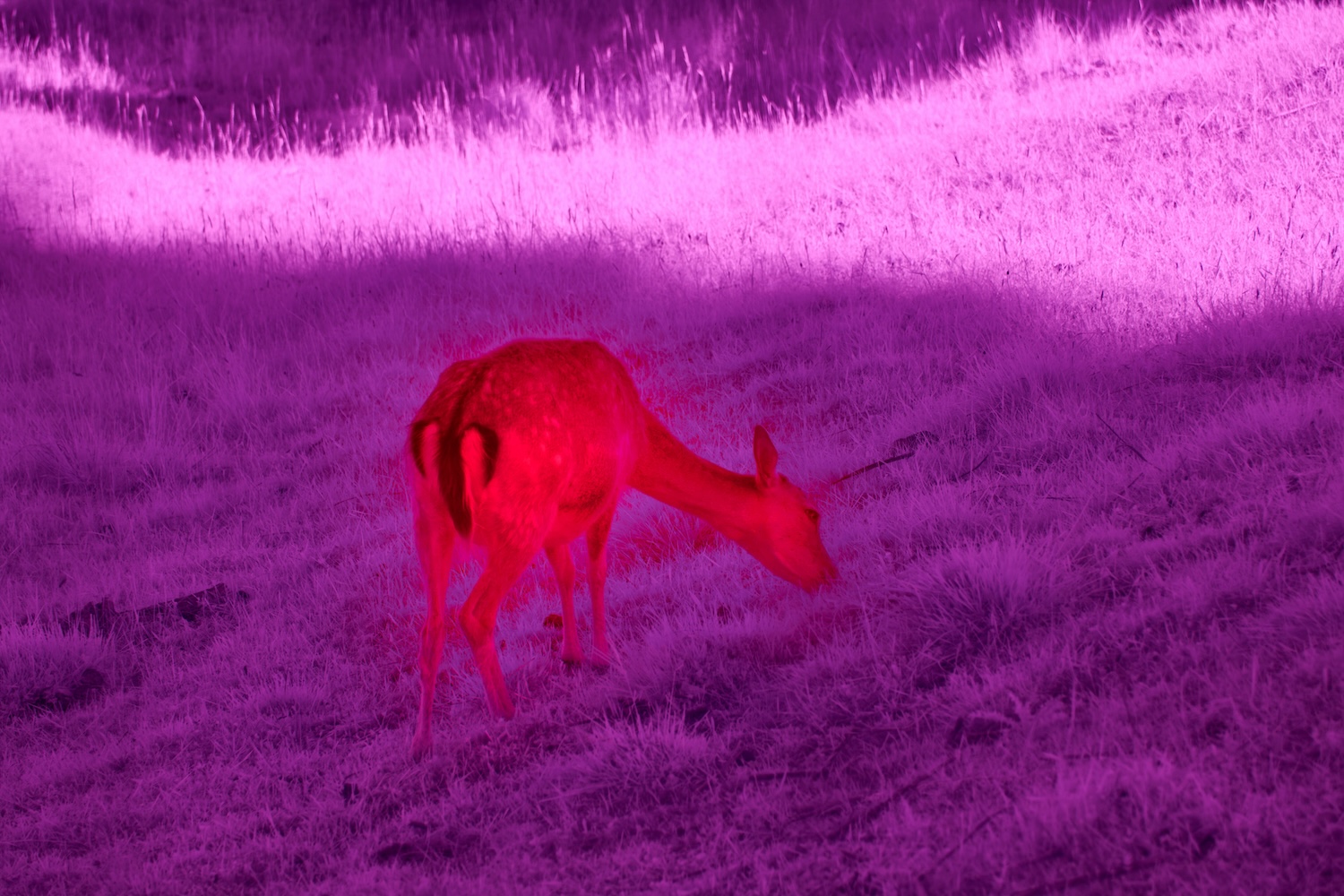
This matters when the contrast between an animal and its surroundings is limited—for example, after a warm day, in damp weather or when viewing through light foliage. A more sensitive sensor may produce a cleaner, more informative image in these marginal conditions.
If you are comparing different thermal observation devices, check the NETD figure alongside resolution and lens specifications. None of these numbers tells the whole story alone, but together they provide a more realistic picture of performance.
6. Check battery life and charging options
Battery performance is easy to overlook until you are outdoors and the screen goes dark. Consider how long the monocular will run under normal use, not merely the manufacturer’s ideal figure. Recording video, using Wi-Fi, increasing screen brightness and operating in cold weather can all shorten runtime.
Removable batteries are useful for extended trips because a spare can restore operation quickly. USB-C charging is convenient, particularly when travelling with a power bank, but confirm whether the device can operate while charging if that feature is important to you.
Also check how long a full recharge takes. A device that lasts several hours but needs most of a day to recharge may be less practical than expected.
7. Assess ergonomics and durability
A thermal monocular should feel natural in your hand. Pay attention to weight, button placement, grip texture and whether controls can be operated without taking your eyes from the eyepiece.
A model that feels comfortable for five minutes may become tiring after an hour. If possible, handle one before buying, especially if you intend to use it while walking or standing for long periods.
Outdoor equipment also needs suitable protection from dust and moisture. Look for an appropriate IP rating, impact resistance and a temperature range suited to your usual environment. Sealed construction is valuable, but it does not make a device indestructible; sensible storage and lens protection still matter.
8. Explore software, recording and connectivity
Modern thermal monoculars often include features such as image capture, video recording, Wi-Fi connectivity and smartphone integration. These can be useful for reviewing observations, documenting wildlife surveys or sharing footage.
Yet software should support the main purpose rather than distract from it. A complicated menu system can be inconvenient in the field, particularly when wearing gloves. Check whether updates are straightforward and whether the companion app is compatible with your phone.
Image and video files may also be compressed, so confirm the available storage and how easily recordings can be transferred. If evidence or long-term monitoring is important, these details deserve more attention than novelty features.
9. Set a realistic total budget
The purchase price is only part of the cost. You may also need a protective case, spare batteries, a charger, memory storage or a suitable lanyard. More importantly, paying for specifications you will never use is poor value, while choosing a model that cannot meet your minimum requirements may lead to replacing it soon afterwards.
Write down the distances, weather conditions and viewing time you realistically expect. Then decide which features are essential and which are optional. A balanced device with dependable core performance is usually more useful than one with an impressive list of extras.
Make the decision based on real-world use
Thermal imaging is an investment in capability, not simply magnification or range. The best choice will depend on how you observe, how far away your subjects are and how often you expect to use the device.
Compare like-for-like specifications, seek independent demonstrations and pay attention to comfort as well as image quality. Most importantly, choose a monocular that fits your actual habits. When technical performance and everyday usability are considered together, the device is far more likely to earn its place in your outdoor kit.