





Convenience has become one of retail’s most important measures of quality. Shoppers may not describe a visit as efficient or well designed, yet they notice when information is difficult to find, help feels unavailable, or a simple task takes too long. Those moments influence whether a store feels useful or frustrating.
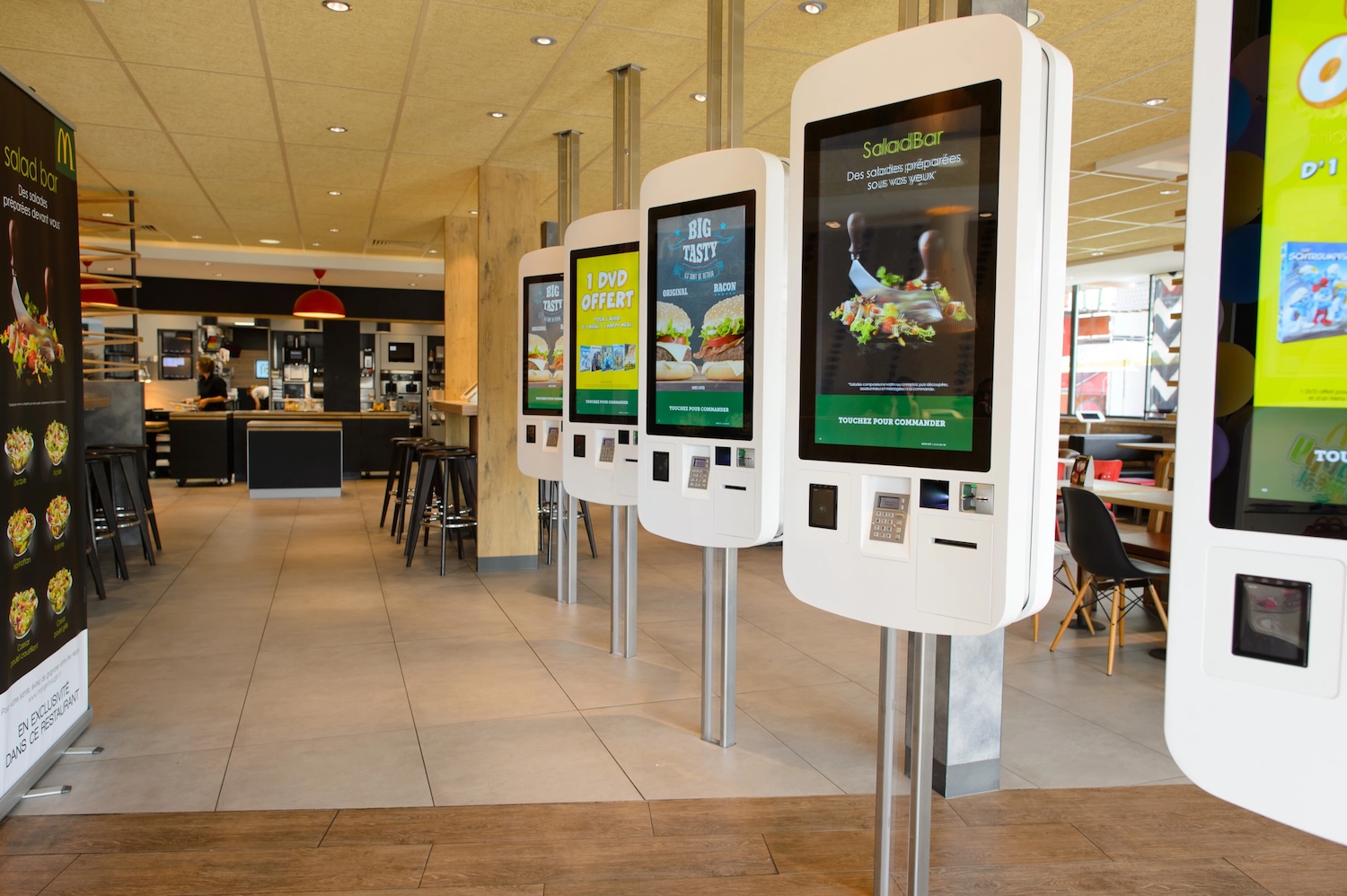
Retail kiosks can support a smoother experience without attempting to replace every conversation. Used thoughtfully, they offer another route to product details, stock options, promotions, account services and self-service tasks. The aim is not to add technology for its own sake. It is to remove unnecessary obstacles.
Physical shops still offer something online channels cannot fully match: customers can inspect products, speak to knowledgeable people and take purchases home straight away. Interactive touchpoints can strengthen those advantages by making answers easier to access when a colleague is busy or when a shopper prefers to browse independently.
Convenience Has Become a Store Standard
People have become used to searching, comparing and finding answers quickly. That expectation follows them into physical shops. They want to understand a product, locate an option and make a decision without feeling that the process has become harder than it needs to be.
Convenience also means choice. One customer may want personal advice before buying, while another would rather explore on their own. A kiosk can accommodate the second preference without detracting from the first. It gives visitors a clear next step when they need information, rather than leaving them to search for assistance.
That matters in stores with broad product ranges, frequent promotions or limited space for printed information. A screen can provide depth without covering every fixture in signage. It can also present information in a format that is easier to browse than a long label or a crowded leaflet.
Solve One Clear Customer Problem First
A retail kiosk needs a purpose. Adding a digital display because it looks modern rarely creates a useful experience. A stronger starting question is: where does the customer journey become awkward?
In a beauty store, the screen might guide customers through ingredients or product routines. A homeware retailer could show finishes, dimensions and styling options. In fashion, visitors may be able to check sizes, colours or related items. These are different use cases, yet each helps reduce uncertainty at the point of decision.
Kiosks can also support routine actions. Customers may want to check an offer, find an item, collect an order, browse an extended range or begin an order. Providing a self-service option can reduce pressure at service points and help them move forward at a pace that suits them.
The interface deserves close attention. A visitor should understand the screen’s value within seconds. Clear prompts, familiar labels and short customer journeys work better than complex menus. If people need a tutorial before they can begin, the design is asking too much.
Make Space for Choice and Human Help
Not everyone will choose to use a touchscreen. Some customers will prefer a colleague’s reassurance, while others may need accessibility support or simply enjoy a more personal interaction. A good kiosk strategy recognises that technology works best as part of a wider service model.
Staff remain essential where expertise, empathy and reassurance affect the purchase. Digital tools can handle simple, repetitive queries, allowing colleagues to spend more time on conversations that require their attention. That balance can make the shop feel more accommodating, not less personal.
Placement also shapes the experience. Near a product display, a kiosk can encourage exploration. At a collection and return point, it may offer order guidance. Besides a queue, it could provide a useful alternative path. In a large store, it can help customers orient themselves before they walk further.
Too many screens can make a space feel busy and unfocused. One or two well-positioned touchpoints will often be more effective than a collection of devices competing for attention.
Keep the Screen Useful and Relevant
Hardware alone does not create value. A kiosk remains helpful when its content reflects what customers want to know now. Product ranges, availability, pricing and campaigns change, so retailers need a straightforward way to keep information current.
Remote content updates can give teams more flexibility. Seasonal messaging can be refreshed without replacing printed materials. A new product may be introduced through a short video or comparison tool. Local stores can feature content that suits their own priorities, rather than relying on a one-size-fits-all display.
The strongest content helps someone make a decision. A customer shopping for a television may benefit from a simple comparison of key features. A gift buyer may welcome ideas organised by occasion or budget. These journeys should answer a real question rather than overload the screen with promotional messages.
Offers have their place, but they should not be the only reason to engage. When a kiosk feels like an advert with a touch function, customers have little reason to return to it.
Choosing a Supplier With Real Expertise
Selecting a kiosk involves more than choosing a screen size or finish. Retailers may need guidance on placement, connectivity, software compatibility, operating conditions and the customer journey the unit will support. A poor fit can weaken an otherwise sensible idea.
Retailers can benefit from working with an experienced provider of retail kiosk solutions that can advise on hardware, software compatibility and installation requirements before implementation. This can help retailers weigh visual design, usability and reliable day-to-day operation before making a commitment.
Support after purchase matters too. Clear guidance can help store teams make informed adjustments as needs develop. That provides a firmer basis for introducing technology in a way that feels considered and appropriate for the setting.
Let Store Teams Shape the Experience
Kiosks may be installed for customers, but store colleagues see how they perform in daily life. They notice where shoppers hesitate, which questions recur and when a screen needs attention. Their insight should influence both the launch and later refinements.
Teams do not need to become technical specialists. They do need enough confidence to explain what the kiosk offers and when it may be useful. A brief introduction during training can prevent a valuable tool from being overlooked.
Staff may also spot opportunities missed during planning. Repeated questions about returns, delivery options, or product availability can be addressed with clear touchscreen prompts. These observations come from the sales floor, where customer behaviour is easiest to understand.
Basic upkeep should form part of normal store routines. A clean screen, reliable connection and accurate content support confidence. Slow loading, outdated information or a neglected display can quickly undermine it.
Look Beyond a Single Sales Measure
Success should be judged against the kiosk’s intended role. A product-discovery screen might be reviewed through customer interactions and engagement with particular ranges. A self-service unit may be assessed by task completion, queue patterns or feedback from colleagues.
Observation can be just as revealing as a report. Are customers approaching the screen without prompting? Do they abandon a journey at a particular point? Are staff using it during conversations? Small details can show whether the experience makes sense in a live retail environment.
Retailers should be prepared to refine the approach. Content can be simplified, a journey can be adjusted, and a screen can be moved if it is not serving the intended area. A kiosk should be treated as an active part of the store, not a finished project.
A Store Should Offer Easier Routes Forward
Retail kiosks are not a shortcut to better retail. Poor placement and confusing content can introduce a fresh source of friction. When built around genuine customer needs, though, they can make a store easier to navigate, easier to understand and more comfortable to use.
The best result is a choice-rich environment. Shoppers can browse independently when that feels right, access help when they want it and handle routine tasks with less effort. Retailers gain a more adaptable space, while colleagues retain time for service that benefits from a human touch.
A range of retail kiosk solutions can provide the physical foundation. The customer journey should remain the guide. Convenience rarely comes from adding more technology; it comes from removing the moments that make shopping feel unnecessarily difficult, then leaving people with a reason to come back.